 MacClair
Clean your Mac
without paying a
subscription.
MacClair maps your disk, shows what is really eating your space, and moves the junk to the Trash. Nothing is deleted for good, nothing leaves your Mac, and the source code is public.
macOS 14 or later · Apple Silicon + Intel · 5 MB · MIT license · in English and French
What it actually does
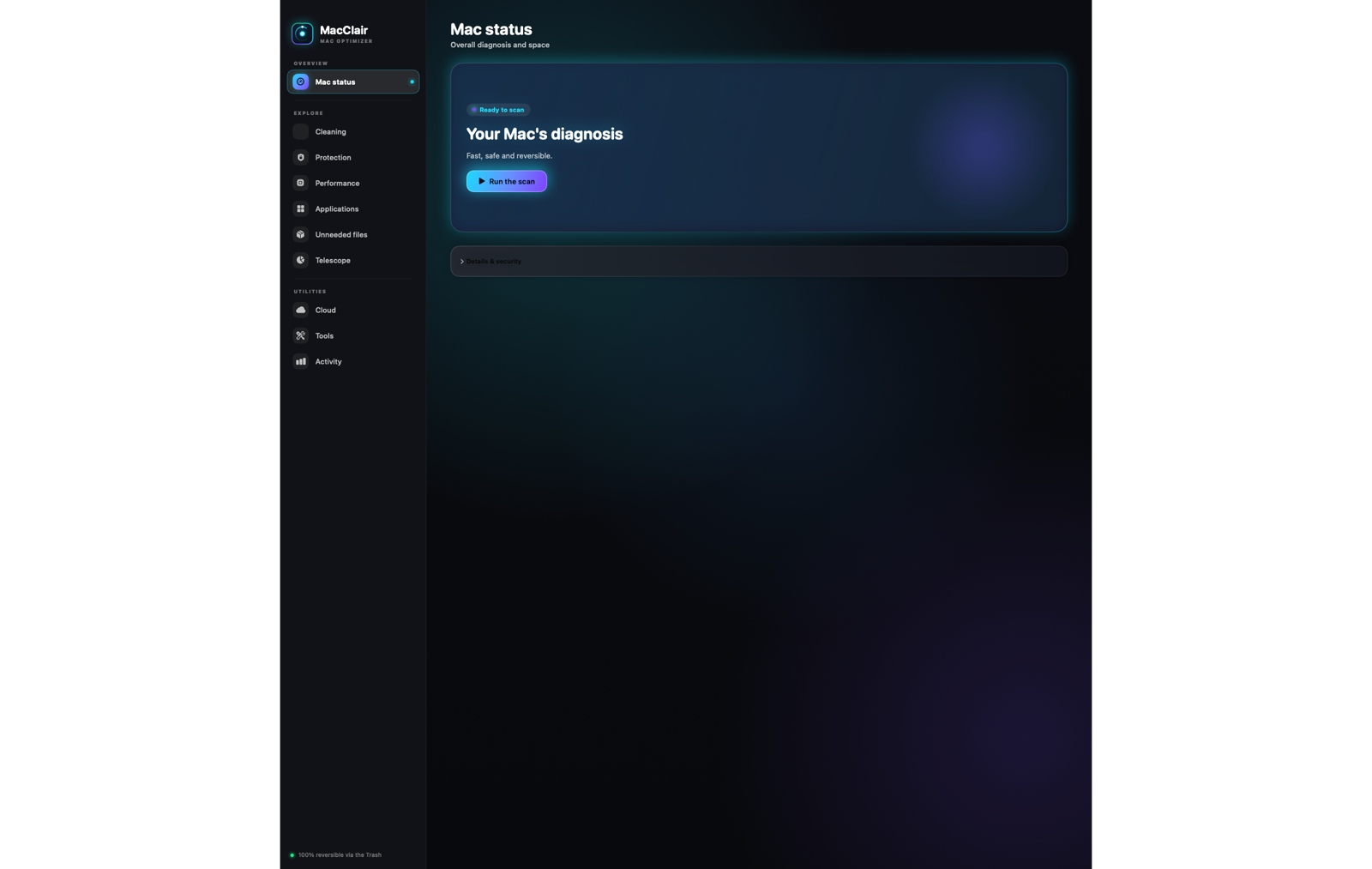
A focused tool, not a magic button. Every screen tells you what it is about to do before it does it.
Storage map
See how your disk is really divided — system, apps, caches, media — instead of a single grey bar.
Unneeded files
Caches, logs and installers older than 30 days, listed with real names and paths, each one confirmed by you.
Large files
Every file over 25 MB in Downloads, sorted by size, so the 8 GB Xcode archive stops hiding.
Exact duplicates
Duplicates verified by SHA-256 fingerprint. One copy per group is always kept, and the rest is staged for the Trash.
Similar images
Rotation-tolerant comparison to catch the same photo saved five times under different names.
Uninstaller
Removes an app and its leftovers — caches, preferences, containers — without ever touching your keychain.
Why you can trust it
The interesting part of a cleaner is not what it deletes. It is what it refuses to do.
Trash, never deletion
Every file leaves its place through the macOS Trash. If you disagree with a choice, put it back.
~/Downloads only
Moves are restricted to regular files in your Downloads folder. Symbolic links, hidden folders, packages and Git internals are refused.
No network, no telemetry
The app never calls home. The only outbound request is the update check, signed and easy to audit.
Signed and notarized
Developer ID signature, Apple notarization, stapled ticket: macOS opens it without any warning, and updates are EdDSA-signed.
Honest limits
MacClair is not a malware scanner and does not walk your entire disk. Duplicate search skips hidden folders and packages, and very large files take time to compare. It has not been independently audited — the code is public precisely so you can check it yourself.
Let your AI agent clean your Mac
MacClair ships a local MCP server. Claude Code, Codex or any MCP client can ask it to scan — and a move requires a prepared token, the exact path you confirmed, and a native macOS confirmation.
Claude Code
Codex
Compared with a commercial cleaner
| MacClair | Typical subscription cleaner | |
|---|---|---|
| Price | Free | €30–60 per year |
| Source code | Public (MIT) | Closed |
| Telemetry | None | Usually on by default |
| Deletion model | Trash, reversible | Varies |
| Agent access (MCP) | Yes, built in | No |
| Feature completeness | Focused | Broader |
Questions people ask
Is it safe? It deletes files, after all.
It moves files to the Trash, and only regular files inside ~/Downloads, after a confirmation showing the exact path and size. Nothing is ever removed from the filesystem directly, and nothing touches system folders.
Does it replace CleanMyMac?
No, and it does not pretend to. MacClair covers storage analysis, duplicates, large files, similar images and uninstalling. It is not a malware scanner and does not do one-click maintenance scripts.
Why is it free?
Because it started as a tool I wanted for my own Mac and saw no reason to put a paywall on it. If you want to help, star the repo or report a bug — that is worth more than €3.99.
Intel Macs?
The published builds are universal: Apple Silicon and Intel, macOS 14 or later. From the source, MACCLAIR_ARCHS="arm64 x86_64" ./build-app.sh produces the same binary.
How do updates work?
MacClair checks a signed feed and offers the new version. Homebrew users get it through brew upgrade.
Both paths keep the signature and notarization checks.
Where is my data?
On your Mac. The app has no analytics, no account and no server. The only file it writes is a local history of how much space each cleaning freed.